Setup guide
Two different products — jump to the one you installed.
🍎 SpeakFlow Pro — Mac app
Live speech translation. No API keys; hours are included.
Download & install
Download the .dmg, open it, drag SpeakFlow Pro to Applications, then open it from Applications.
Grant permissions
On first launch the app shows a permissions sheet with a button for each one: Screen & audio recording (to hear the call or video; macOS relaunches the app after you grant it), Microphone, and Accessibility (to type translations into chat boxes and for the ⌘⇧D shortcut). The sheet closes itself once everything is granted.
Take your free hour, or activate a key
Sidebar → Licence → Try free for 1 hour (no card). Bought hours? Paste your SFL-XXXX-XXXX-XXXX key and press Activate. One key works on 2 Macs.
Pick a preset and press Play
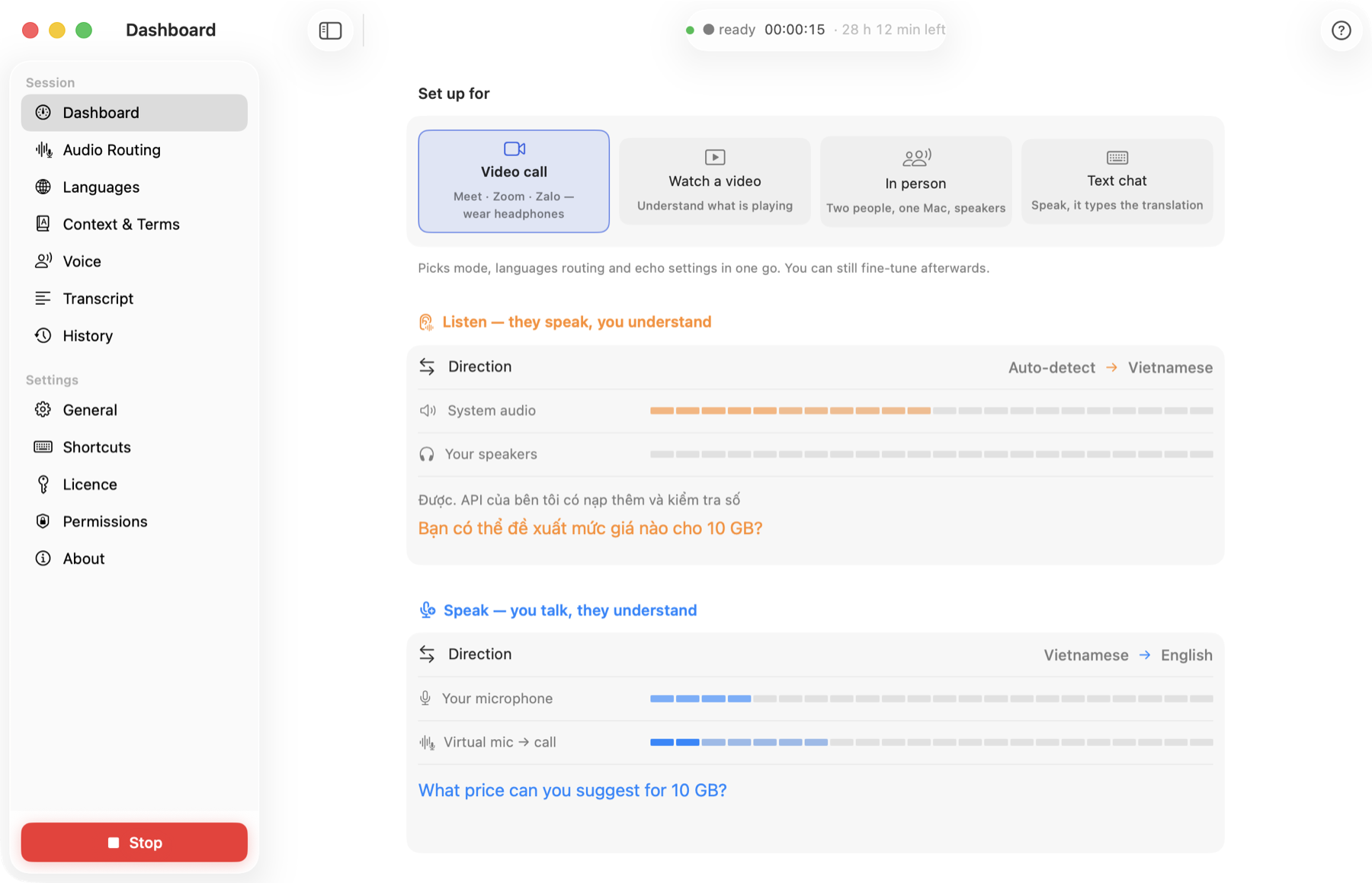
Video call — in Meet / Zoom / Teams choose "SpeakFlow" as the microphone; you hear them translated, they hear you translated. Watch video — any audio on your Mac, in your language. In person — one Mac between two people, both directions through the speakers. Text chat — speak, and the translation is typed into the chat box under your cursor.
Languages & voice
Languages: what they speak (or Auto) and what you want to hear; what you speak and what they should hear. Voice: choose one of ~100 voices or record 30 s to clone yours; adjust the speed.
Context (optional, recommended)
Sidebar → Context: name the topic, add names and jargon, or turn on auto-detect so the app learns the subject during the call. Technical words come out right.
Handy shortcuts
Hold a key to talk (push-to-talk) · ⌘⇧R replay the last sentence · ⌘⇧M summarise the last minutes · ⌘⇧D translate & read selected text · type-to-speak box on the dashboard. Drag the floating captions anywhere and resize them from the corner.
🌐 SpeakFlow Translate — Chrome extension
Translates and dubs YouTube videos in the browser. Free; VIP unlocks premium AI models. It does not translate calls — that's the Mac app above.
Add to Chrome
Install SpeakFlow Translate from the Chrome Web Store (Chrome / Edge / Brave on desktop).
Open a YouTube video
SpeakFlow adds a floating play button on the page. Click it to start translating & dubbing.
Pick language & voice
Open the extension popup → choose target language, voice and translation engine. Use SRT to export subtitles or get an AI summary.
Upgrade to VIP (optional)
For premium AI models (Gemini, DeepSeek, GPT, Claude), premium voices and AI summary: popup → ⭐ VIP or your account page → sign in → pay with PayPal or card. VIP is an account, not a licence key.